Archives: Notes

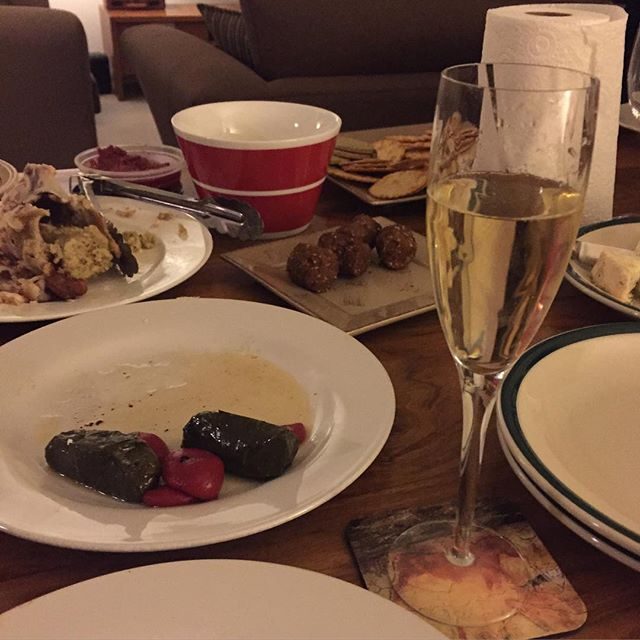
Pre #sbseurovision feast & champagne to celebrate.

It amuses me how much .cc has become a part of my online identity. It started with a common name forcing me to choose a second rate tld.

Introducing the new office to my Friday trash playlist. I haven’t listened to it for two years, I need extra trash.

Rolled chicken roulade and a glass of wine.

Facts:
* web-perf affects conversions
* Trump & Sanders won primaries today
* @zachleat scored Trump & Sanders best
https://www.zachleat.com/web/president-web-font/

Nephew has graciously accepted my apology for blocking his first social media account and reporting it spam. He was liking my old posts.

Bad uncle.

I love this, it looks great from both the street & entrance.

It’s Mother’s Day at Sportscraft

Opens door at 5pm Friday

YELL SCREAM THREATS MORE YELLING YOU FOOLS YELL YELL YELL

Why don’t you aresholes listen?

Slams door.

Is Mr Burger taking over old Pie Face leases or what?

The full WordCamp Europe schedule is out. It’s great to see so many Antipodeans speaking.

One of the most rewarding things when helping organise a meetup is seeing speakers go on to larger events.

There are people encouraging refugees to self harm.

Semilite and uncomplimentary photo of Peter Dutton.

Proudly misty-eyed, Prime Minister.

Last day at the dock for a while today.

Channel 9’s claim they were only reporting conveniently ignores they paid the kidnappers.

image

A nice take on imposter syndrome by @ppk http://www.quirksmode.org/blog/archives/2016/04/impostor_syndro.html

You know, even when it’s raining this thing looks pretty good.

Delighted to be speaking at #wceu in June. Looks like this year’s going to be amazing.

The world is full of annoying tools. There is one been used somewhere in the building to drill into concrete.

Another day, another dollar.

Time to write my own GA code, having the OptinMonster mentality in my dashboard makes me nervous.

Me: I am looking forward to relaxing this weekend.
Brain: What about those three talks you’re committed too?
Brain: What about that plugin?

Instructions for starting VIP Quickstart every time:
cd salty-wp
vagrant up
// realise, wait
vagrant halt
cd ../vip-quickstart
vagrant up

Back at work in Docklands today.

I was asked about bandwidth cost during the last break at #respond16, this is a great resource https://whatdoesmysitecost.com/

  • CSS selectors allows to point to elements on the page to style them
  • we have dozens of pseudo classes available to style element
  • :target allows us to do lightboxes without JavaScript
  • :not reverses the meaning of the symbol selector inside it
  • :not([class]) allows you to style elements without classes, without specificity wars
  • adding the letter i to attribute selectors allow you select them without case sensitively
  • there is nothing new is CSS selectors. Why? As devs we are not asking for them.
  • developers have started styling everything with class selectors
  • we’ve abandoned HTML semantics
  • As developers, we have started put a bird on it people

Put a class on it

-developers

  • our over-reliance on classes is modifying the spec
  • :local-link is not supported
  • the reference combinator is not supported
  • both of these cool features have been dropped the selector spec
  • the :has selector lives but comes with fine print, it only works in JavaScript
  • decisions are being made without the developers voice (not to say wrong, just our voice is absence)
  • The labotomised owl selector, * + *, has zero specificity. It makes it easy to override it.
  • Quantity selectors allow us to code defensively against changes in the content structure within a CMS
  • demand the selectors we deserve in future browsers

Thanks for coming along to @webdirections #Respond16 Melbourne, my slides are available at https://pwcc.cc/respond/slides/

  • art direction on the web is a recurring theme
  • at last we have the tools to do proper art direction
  • after two decades Jen gets design, it’s only recently Jen has understood art direction
  • art direction is a deliberate choice: this is what I want to convey
  • the Apple Watch logo is not a tech logo, it’s a fashion logo
  • when Apple launched the watched, they used art direction from the launch to position the product as a fashion item
  • in editorial design there is a lot available to communicate your idea
  • placement is part of communication
  • we’ve had art direction in print reporting, often it’s lost on the website
  • the web is boring, everyone is making the same designs: large header, three dots
  • the web became uniform when we started using grids, eg 960 grid
  • the twelve column grid was great when we were infants finding our feet on the web
  • prefab grids helped back when the box model was inconsistent, shout out IE6
  • since 2012 we’ve been able to define the box model, but we still use the same grids
  • we’ve moved on from grids to bootstrap
  • we override the type but we keep the same layouts: 12% of the web uses bootstrap layouts
  • it’s like we’re all using the same WordPress theme
  • layout should be based on your site, not prefab multiple choice
  • there are a ton of resources on layout out a page, not grids but graphic design books on using grids
  • communicate using white space, it sets up the message
  • on the web white space is free, we can afford to leave it
  • the web no longer needs to be straight lines
  • visit labs.jensimmons.com for plenty of layout examples
  • browser inconsistencies have broken things, drop caps for eg. This is a solved problem.
  • we can use @supports to detect if browsers support a feature. Browsers that don’t support feature queries skips the query
  • viewport units change the web
  • using viewport units allow us to control what appears above/below the fold
  • object-fit allows you to crop images in the browser, similar to background-size in CSS
  • part of the reason were bored on the web is everything is a perfect rectangle, not the case in print
  • clip-path allows us to move away from perfect rectangles on the web, as do CSS shapes
  • Shape outside allows you to set how a text flows around another element, there is a Chrome extension to create polygons.
  • all of these things are available today using progressive enhancement
  • flex box, grid layout and alignment are going to change our lives
  • floats make boring galleries, the float drop problem, we made everything a square.
  • With flex box we can make items different widths and fix the height, each row is the full width
  • same with flex box columns and a fixed width, variable heights
  • multi-column layouts are more flexible that flex box columns, they can avoid side ways scrolling
  • grid layout allows you to define both columns and rows, content can be multiple cells wide/tall.
  • the browser will lay things out and move content around to fill in the holes: dense layout. Think Masonry but without jank.
  • Flexbox and Grid are a time to open our minds, mess around with them and see what’s possible
  • Flexbox lays things out in a single dimension (either row or column) and wraps when it runs out of space
  • CSS Grids lays things out in two dimensions, it considers the entire space
  • experiment with layouts by translating print items to the web. try things out
  • Grid frameworks are fixed numbers of cells, grid layout is depends on the content. We need to drop out mental model
  • Grids are in the nightly browsers (sometimes behind a flag), in other browsers design with a fallback
  • use floats for regular browser, wrap grids in feature queries.
  • Good html is important, grid and flex box allow you to do this.
  • Grid is not the end of things, there are many specs on layout to come.
  • Rounds is being worked on: viewports can be round now we have smart watches
  • Jen’s process:
    1. organise content
    2. create an HTML file and set the source order
    3. sketch ideas for page layout (sometimes this happens 1st)
    4. design a custom grid
    5. apply css, write your own layout
  • new features work and don’t work at the same time, we don’t need to wait two, three, four or five years to new features
  • progressive enhancement is built into the web, shape outside falls back to a traditional float
  • grids will be a long, slow transition but it will be significant, it will be as big as RWD or tables to CSS layouts
  • now is the time to learn CSS Grids, it will take time to learn now. It will be important and your new knowledge will be in demand.

Rewrote my @webdirects talk last night, new title is “Proof the Panama Papers are a CIA conspiracy to bring about a one world government.”

  • vw + vh === v.nice !
  • viewport units are proportional units related to the viewport:
    • vw
    • vh
    • vmin
    • vmax
  • they’re new, there have been articles telling is this:
    • this year
    • last year
    • 2014
    • 2013, and,
    • 2012
  • viewport units are more supported than flex-box
  • vw, vh have been supported widely since IE9+
  • half considered browser stats are a contextomy (why drop IE but keep Safari, look at the stats)
  • the current browser landscape grew out of IE5 and IE6.
  • We forget how groundbreaking the IEs where
  • There are 27 units in CSS
  • Understanding units allows us to greater understand our environment
  • vw: 1/100 of the width of a viewport, vh: 1/100 of height
  • relative units can be used to smoothly increase font size. font-size: calc( 1em + .25vw )
  • Mike Riethmuller has written about Precise control over responsive typography
  • Viewport units can be used to style websites and ensure they fit in the browser: chess boards, connect four games
  • Viewport units will allow you to create a thumbnail of a site by embedding the page as an iframe
  • I’m a developer, I don’t want to open photoshop
  • Filters allow the dev to make the changes without asking a dev
  • css filters, etc save network requests
  • linear and radial gradients can now repeat
  • using a linear gradient and a small repeating image gives you a rich look with very little overhead
  • background-blend-mode allows you to specify different blends for each layer of your image
  • mixed-blend-mode works across all elements: anything below the element is blended
  • Videos work below blend modes, the changes a quick to apply without the needs for video editing software
  • When a designer exports an element from photoshop with a blend mode, they can be applied via CSS without needing to go back
  • Consider browser support, the blend modes are not universal
  • Multiple filters can be applied at one time
  • The filter opacity ensures the object is hardware accelerated, where as the CSS property is not
  • hue filters can be used to replace colours on a product and save a network request
  • It’s only a matter of time before we can say goodbye to Photoshop


  • started looking at how SVG and CSS complete each other
  • SVG can be use to extend the capabilities of CSS
  • there are seven ways to include SVG on a web page
  • there are tools for using SVG
  • there is no reason not to use SVG on websites today
  • Sara is interested in how people are using SVG, which of the seven ways
  • SVG background sprites are inflexible, each new colour must be created in the sprite sheet
  • the use, defs ,g and symbol elements allows you to change the colour and make other variations with CSS
  • the viewBox attribute is required for making SVG’s responsive, so make sure it’s there
  • the use element cloned into the shadow dom, it can’t be accessed via CSS selectors
  • to style the element on a cloned SVG you need to set the style using CSS variables and define the variable on the use element.

use {
  --primary-color: blue;
  --secondary-color: red;
}

// variables are used to style the SVG
  • undefined variables will use the default fallback colour, see Sara’s article on Styling SVG using use.
  • don’t use icon fonts!
  • while icons can be styled in CSS, you can only style them using the font styles. It’s limited.
  • SVG allows multiple colours, it’s sharper
  • Web fonts can be blocked by ad-blockers, this can affect icon font and the user may end up getting unrelated emoji
  • Icon fonts are not accessible
  • SVG icons have accessibility backed in
  • Use Grumpicon! Support will be extended back to IE6.
  • There are plenty of tools around to help you use SVG, the time to switch away from icon fonts has passed
  • There are a number of filters available in CSS to alter images
  • Use trial and error when trying blend modes, it’s more reliable than knowing what will happen
  • CSS filters can be extended to apply SVG filters
  • CSS clip paths accept either basic CSS shapes or can take an SVG clipPath element.
  • clipPath’s can be animated
  • Clipping videos (and other HTML elements) can be done via foreign objects in SVG, but it’s buggy in webkit/blink
  • using SVG filters we can create text effects that can’t be created by CSS alone. text-shadow is limited
  • As long as the text is not converted to an outline, text within an SVG will be searchable
  • SVG will allow you to create advanced poster like layouts without worrying about the flow
  • You will need to convert SVG text to outline if you’re using specific, non-websafe fonts. Eg branding types
  • You can make an image responsive with a single SVG
  • SVG is a replaced element, you are going to need to set a width/height img,object {width:100%} will make it responsive
  • The SVG viewport size can be used in media queries, the MQ applies to the SVG’s size only and is essentially an element query

Rocking #respond16 for the home town over the next couple of days. Spoiler: an excellent show to come!

RT @Independent: ‘What I discovered about homophobia by holding hands with another man in public’ http://www.clickhole.com/video/eye-opening-these-guys-lived-15-minutes-homeless-s-2415

I can’t say this better, come along if you’re in Melbourne

My plans tonight are to watch the latest Survivor & fall asleep on the couch reading Dalton Ross. Good to be home.

  • The web is its own medium; a medium defined by its fluidity.
  • It’s available on any device, one web. As long as we don’t break it.
  • One web is:
    • One content
    • One url
    • One team
    • One release schedule
    • One codebase
  • One web sounds a lot like responsive.
  • The phrase adaptive is magic.
  • No one seems know what adaptive means.
  • An m-dot site is dedicated site served to mobile users, but it’s easy to server the wrong content.
  • Adaptive is often used to means: serves something different to different devices. It may mean
    • A limited of media queries where the width jumps rather than fluidly grows
    • Serving something different, the url remains the same but the content is served differently
  • Karen McGrane prefers the latter definition.
  • Adaptive content is server side, the server detects the device and serves something different.
  • Google is the one company most invested in your site serving the same content at the same url all the time.
  • If the home page is political, serve a different home page and keep the rest of the site responsive. Do it, go adaptive on the home page.
  • Adaptive doesn’t need to be per page, it can be per component. Fidelity used two versions of markup for adaptive tables based on the screen site.
  • Don’t get the server involved with content when it’s a client side problem.
  • Karen McGrane has spoken about adaptive for five years, since discussing COPE.
  • There is a great value in storing chunks of granular content rather than massive blobs.
  • It makes it easy for people to conclude they should be targeting different users with different content.
  • One way of targeting is based on the users device.
  • There are other ways. Context: information that can be gleaned from the devices sensors, the time, location, velocity, barometer, temperature.
  • Think about this, when does it make sense to serve different content based on the device vs different content based on the users context?
  • Device: support pages based on the users operating system.
  • Even based on device selection, prioritise the content rather than exclude the content. An iOS user may be helping their Android using friend.
  • Often people make assumption to adapt on device that are stretching it’s suitability, to assume the input mechanism, for example.
  • Microsoft think there is no difference between what mobile & desktop users desires.
  • Karen’s definition of context (device sensors) are the closest we can get to guess the users context.
  • Modern hearing aids can switch to car mode when travelling over 10mph. This is a good but imperfect solution (could be a human canon ball).
  • Restaurants can be displayed according to the user’s location, this is a good contextual cue.
  • Language may not be a good contextual cue for language, this can be flawed – visitors arriving in a foreign country.
  • Device detection is flawed, there is no correlation between being away from home and using a mobile device.
  • Device type will always be the least reliable form of estimating context.
  • Expedia found that responsive was better than context targeting. A travel company.
  • Adaptive and responsive are not in competition, they work together. RWD will solve 95% of your problems, adaptive may cover the remaining 5%.


  • How do we adapt the things we make to different spaces?
  • We used to think about the web in pages, back when RWD became first defined.
  • We now think about components.
  • On average a large site may have 200+ media queries.
  • We are trapped, media queries are defined by pages.
  • We think about components, and less frequently about pages.
  • The element query would allow us to adapt content to the size of the content.
  • The element query is great for how we think now.
  • The element query is great for circular dependancies.
  • It’s the circular dependency that killed the element query.
  • The element query became the container query, it’s a problem that needs to be solved.
  • It’s possible to use “element flow” to hack container queries.
  • Flex-grow can change how content displays as element grows and shrinks, regardless of the page.
  • display: container can be used to allow use to use flex-box order to content based on the containers size.
  • Nesting the picture element as foreign object in an SVG give the picture element a container query.
  • The best thing to do to get a container query is to get involved in the RICG.

<picture> perfect: designing with responsive images

  • about half the room is using responsive images
  • smashing magazine twitter survey found 58% of people didn’t use them
  • responsive images allow us to support a range of devices, the best image for a device is delivered
  • img[srcset] takes a definition of image sources, the browser selects the best image to use
  • img[sizes] allows us to define when sizes at which the image is displayed, provide hints to the browser
  • srcset is pretty well supported in browsers
  • the picture element is designed for art directions
  • picture element is used as a wrapper around existing image fallback
  • picture element gives the author a lot more control over the image displayed
  • the author can modify the crop to be appropriate for the users’s device
  • picture element can be used to select image types based on images format: eg webp, jp2
  • image type selection allows the browser to use less bandwidth in possible
  • picturefill provides a great polyfill
  • Coding the picture element can get complicated:

Building accessible web components without tears

  • Four painful questions
    • have you tried to navigate your site with only keyboard?
    • could you perform every action on that site? (everyone put there hand down)
    • did the tab order make sense?
    • did you always see the element in focus?
  • “full stack” devs seems to have forgotten some of the fundamentals of the web
  • paragraphs, headings are terminal block elements: they can’t contain other block elements
  • accessibility: enables hearing impaired, vision impaired, motor impaired users and more to access the web.
  • accessibility: allows your users to use their input device of choice. More than keyboards, mouses and screen-readers
  • WAI ARIA: Web accessibility initiative, accessible rich internet applications
  • We can use roles and states to describe the elements to assistive technologies
  • Screen readers require notification when content changes within the document using aria-live
  • aria-live can be used for anything is intended to be used for important information: error alerts, resorting tables
  • aria-live has three values: off, polite and assertive
    • off: will wait until the screen reader loops over the content
    • polite: will notify the user after the current action finishes
    • assertive: is poorly supported but in theory will interupt the current action
  • role=alert is used to tell a user of really important
  • Two main modes screen readers use:
    • read mode, standard mode can navigate the page
    • forms mode, can interact with form elements… but there is a catch… content that is not directly related to the form (eg p tags with alert messages) will not be read-aloud.
  • Form control error messages can be inaccessible, if it is not programatically related to the field (again, in a p-tag)
    • we can not use colour alone to define a form field is invalid
    • the error message needs to be programatically linked to the form
    • including the error message inside the label is a simple method of associating
  • when submitting forms, if an error occurs the user should be focused to the top of the form where there will be a description of the form
  • A good wrapper for errors prepares the page for the error while keeping them invisible to users
  • models have problems
    • keyboard users can tab outside the model, the model is active and it can be confusing
    • screen readers may not be notified of the model
    • screen readers may not be made aware of the purpose of the model
    • closing the model may move the user away from the locations in which they navigated to the model
  • fixing models
    • hide the model from assistive technologies, once they open hide the pages remaining content
    • set focus to the model itself, not content within the model
    • limit the tab key to the model for keyboard navigation
    • explain to the user what each element will do when they close a model, submit a form in the model, etc.
    • make a smart decision about where to position the user once the model closees

Models are shit but we can make them less shit

  • in page tabs
    • relationship between tabs and each panels content may not be clear
    • keyboard only navigation may not work on tabs
    • tab and arrow navigation (arrow to choose tab to display) is preferred
    • define the tabs as role=tabpanel, links as role=tab
    • define tab as aria-selelected=true/false, panel as aria-hidden
  • there is a lot to do around accessibility, but there are quick wins available to make the application accessible.
  • don’t be overwhelmed
  • this to do
    • test with keyboard only
    • test with one or more screen-readers
    • test screen-readers in different browsers, different bugs appear in diff browsers
    • get specialists in to help you
  • the ideal time to focus on accessibility is when you’re building the individual components, when you’re building pattern libraries.

My @webdirections #respond16 slides are available at http://pwcc.cc/respond/slides

  • It’s often said users are the weakest link in the security chain
  • How true is this, who are *we* designing for?
  • Human factors influence security
  • Passwords are broken, each accounts requires a human remembers
    • username
    • password
    • was the password reset recently
    • what are the rules are the password
  • For things for an account is easy to remember
  • Each email is associated with, on average, 130 accounts.
  • These four things are not easy to remember, 130 times.
  • Users make it easy to remember
  • This makes it easy for users to hack accounts.
  • Hackers will cycle email addresses against common passwords (this also gets around lock-outs from excessive attempts)
  • Two factor auth improves security for user, smart-phones make it 2FA easier than other physical tokens
  • Security needs to be easier to deal with but not too easy
  • SSL locks (or triangles or warnings) are not helping, users have tunnel vision and block the URL bar from the page.

Security-information-on-the-page

  • The security information should be timely, clear and relevant
  • Chrome 36 and back had a timely and relevant SSL certificate warning that 63% of users would ignore and proceed to the untrusted sites, against the advice.
  • Chrome’s team decided they needed to redesign the page, hide the option to proceed to the warning page
  • The redesigned warning page reduced the number of people proceeding to 37%.
  • The redesign made the secure course of action clear.
  • 11% of people click through to 419 scams, they don’t know what they don’t know
  •  People don’t look for what they are not expecting.

  • Some FT users fell for a phishing attempt
  • The IT dept sent a link to users requesting they reset passwords.
  • The emails were seen by the phishers, who sent their own version.
  • The FT now uses 2FA globally. Savvy users fall for phishing too.
  • Phishing can include paper, urgent invoices.
  • Warnings aren’t a great help, people don’t notice the absence of warning.

Lunch with the fine folk at @canva, thanks for having me down @web_goddess

Kogan.com are going through a responsive web design.

  • Version three of their site (K3) has been around for ten years.
  • Kogan had a really good, really light weight m-dot.
  • The devs hated developing in two code bases
  • Wanted:
    • Feature parity
    • Responsive design
    • Speeeeeeeed
  • They started with the aim of a complete refresh.
  • It became apparent that a full refresh was not the right approach
  • After throwing out the full refresh, they took a step back and considered their site.
  • The new approach: responsive, keep it working
  • Coding is like Jenga: you change one thing a completley different Jenga tower collapses.
  • Started small, bring in people once it gets big enough that they’ll notice
  • On a narrow screen, you couldn’t see the add to cart button. <- important!
  • Add code to be deleted once the site is switched to responsive (add a min-width and max-width, remove min-width later)
  • Pick random breakpoints, they will change as the site develops.
  • Add a test mode while working on the css but before the site goes responsive.
  • Just because someone on the net says something is a hack doesn’t mean you shouldn’t use it. Floats Vs Flex-box for layout. Everyone on a team knows how the floats works

CSS is a hack

  • Don’t make an overriding class, you’ll just need to add be twice as specific as you want to change things, eg body.k4
  • Avoid nesting, use classes.
  • Put Sass variables in the same file in which you use them.
  • Know when to steal, eg steal @snookca’s accessible visibility code.
  • In the early dev stage, don’t worry about poor performing selectors. Fix them later, they’re more performant than the 5 meg of ads on every page!
  • Hide code, make it hard to change CSS file that are only intended to be deleted from.
  • Use component media queries, nest the media queries within the component.
  • Choose a naming convention, it doesn’t matter which one.
  • Needed to build a theme for a new brand, we needed to change colours.
    • Turns out $red was not a great variable name
    • Went a themify mixin
  • m-dot site was turned off a few weeks ago, no change to conversions.
  • Fairfax have learnt a lot about iterative design since starting the redesign of their site
  • Responsive redesign of SMH is a massive project with many contributors: designers, developers, engineers, everyone at fairfax.
  • SMH was founded in 1931, committed to honest accountable journalism
  • SMH went online in 1995, a trial blazer of getting online in the news world.
  • Before getting too excited, it did look a bit shit (my words, not theirs).
  • For many people smh.com.au is the SMH, the paper may not be picked up
  • The site is made up of partner sites, video, etc
  • The site is used on a number of devices, mobiles on public transport, tablets in the evening
  • Fairfax wanted to people to be able to reach the content regardless of devices
  • They put together a dream team to work on the RWD site.
  • For the new site, they needed designers to be able to design an element and put it in the CMS. Not currently possible
  • There were five defining mantras they referred back to often, even now.
  • Fairfax wanted to move away from multiple dev streams: m-dot, desktop, etc to a single dev stream: rwd.
  • SMH went with an adaptive layout
  • SMH had fallen behind the a-game. Ganiad already had a RWD site.
  • Mobile geddon had arrived. SMH did not have a “tablet” site.
  • SMH’s RWD team take performance very seriously, faster, faster, faster.
  • They made hard calls about what was in and out. No way to redesign entire site in 18 months, too complex.
  • they new they needed to change their process: iterative design over waterfall
  • Mandates:
    • No wireframes (initially), 60 minute design sessions to get a live prototype
    • Quick’n’dirty: quality  kept with design principles, style guides.
    • Screen agnostics: impacted the design approach by going tablet first after a false start. Tablet is where RWD lives or dies.
    • Lean user testing: less users more often.
    • Sharing is caring: content (article) is the new home page, people visit news sites via social media
    • Decide with data: testing gets feedback, beta site allows further testing.
  • They gave the project the code name project lego. Building blocks not pages.
  • Using building blocks, they can build and trial a site quickly
  • Using A/B testing to discover the difference between what people wanted and what people thought they wanted.
  • At Fairfax they are still learning about RWD,
    • never test on yourself, test on the user
    • don’t hide what you are doing
    • rules will change, design for today
  • Features will always be improving, this is not a design that will finish.
  • Fairfax found they needed freedom to fail

Scroll magazine has been relaunched by @webdirections, features some excellent writers and your’s truely. https://twitter.com/webdirections/status/717879688375324672

  • We’re no longer building pages, we’re building systems and complex networks.
  • RWD is not about individual device classes
  • Devices have become more complex, multiple input methods, various screen sizes
  • New interactions models are been created all the time
  • I’d like to tell you I have perfectly formed solution, I do not.
  • Laziness is bad. Well, maybe it’s more complex than that; maybe it’s a virtue.
  • We have a lot of tools available to allow us to be lazy.
  • eg: nth-child for grids rather than including the grid in the html
  • Modern frameworks come with baggage.
    • They work of a predefined grid
    • Stock breakpoints
    • It’s hard to know if they’re useful for the expanding device market.
  • Think about content, context rather than devices you can design for products that don’t yet exist.
  • Disney made animation beautiful, it made it real and life like.
  • Disney defied language to describe their work, allowing to them to keep high standards.
  • If we think about the characteristics of design rather than of the page, columns, roles, it allows you to support the design.
  • Describe the challenges of a site, this allows the break points to be defined.
  • Rather than CSS frameworks, define vocab frameworks to make our sites fit.e
  • RWD navigation is not a solved problem, they rely on the content.
  • As an industry, we have a problem with the hamburger.
    • It’s not working as well as we think it is.
    • Time magazine added about a thousand items of help text to their hamburger. This suggests it didn’t test well.
    • Disney added a hamburger icon to use the same off-screen navigation pattern
    • Behind the hamburger, we put all the shit we couldn’t be bothered to deal with. We avoided the ard discussions.
  • Other, arguably better, design patterns exist for navigation
    • The BBC shows/hides nav items as they fit on their screen
    • The Guaniad scrolls their navigation
    • The Filament Group changes their nav on content driven pages to a more subtle version than their home page.
  • If we look for opportunities to be lazy with nav, we can focus on other parts of the page, other features. For example animation.
  • We can design of the basic elements and enhance with animation
  • This does mean we need to build up from the basics, add enhancements. Design two, three or more interfaces. This doesn’t appear lazy.
  • The laziness comes from designing defensively for the web. Designs will work for multiple devices.
  • The BBC have done this with the cutting the mustard test.
  • They track two broad responsive experiences. It’s lazy and Ethan lves it.
  • Approach a site with questions, even if you have solved the problems before. Like a beginner.
  • Doing a little less will allow us to do a little bit more.

I deny this. https://twitter.com/developerjack/status/717653909683109888