Archives: Notes

  • Have you heard about staying dry? Let me tell you about staying dry. #middleclassconf

  • SYD ✈️ MEL. Was great to come visit #wpsyd last night, thanks for having me.

  • Opens news, reads about our political leaders. Crushes phone underfoot, burns it. A tear rolls down my cheek as I have a bleach shower.

  • I could take courses in seat selection!
    👤⭕️👤

  • MEL ✈️ SYD

  • This appeared a few days ago. Rewatching the Shining.

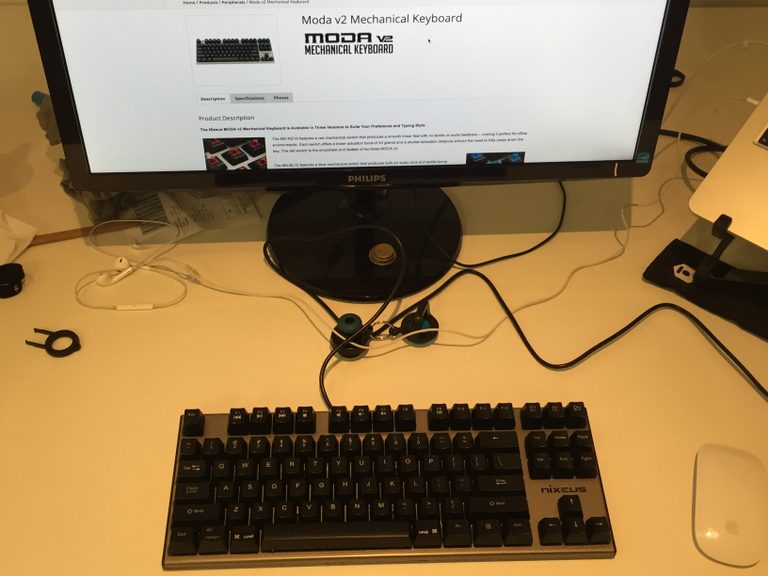
  • Post-it so I can see the power button. Hashtag design.

  • Last year I made this as a joke for #yolofriday.

    output.jsbin.com/hasubi

  • Medical building at Melbourne Uni

  • Honoured to be joining the super talented Joe McGill as a guest committer for WordPress 4.6.

    New committers for 4.6!

  • Pre #sbseurovision feast & champagne to celebrate.

  • It amuses me how much .cc has become a part of my online identity. It started with a common name forcing me to choose a second rate tld.

  • Introducing the new office to my Friday trash playlist. I haven’t listened to it for two years, I need extra trash.

  • Rolled chicken roulade and a glass of wine.

  • Facts:
    * web-perf affects conversions
    * Trump & Sanders won primaries today
    * @zachleat scored Trump & Sanders best
    https://www.zachleat.com/web/president-web-font/

  • Nephew has graciously accepted my apology for blocking his first social media account and reporting it spam. He was liking my old posts.

    Bad uncle.

  • I love this, it looks great from both the street & entrance.

  • It’s Mother’s Day at Sportscraft

  • Opens door at 5pm Friday

    YELL SCREAM THREATS MORE YELLING YOU FOOLS YELL YELL YELL

    Why don’t you aresholes listen?

    Slams door.

  • Is Mr Burger taking over old Pie Face leases or what?

  • The full WordCamp Europe schedule is out. It’s great to see so many Antipodeans speaking.

  • One of the most rewarding things when helping organise a meetup is seeing speakers go on to larger events.

  • There are people encouraging refugees to self harm.

    Semilite and uncomplimentary photo of Peter Dutton.

  • Proudly misty-eyed, Prime Minister.

  • Last day at the dock for a while today.

  • Channel 9’s claim they were only reporting conveniently ignores they paid the kidnappers.

    image

  • You know, even when it’s raining this thing looks pretty good.

  • Delighted to be speaking at #wceu in June. Looks like this year’s going to be amazing.

  • The world is full of annoying tools. There is one been used somewhere in the building to drill into concrete.

  • Another day, another dollar.

  • Time to write my own GA code, having the OptinMonster mentality in my dashboard makes me nervous.

  • Me: I am looking forward to relaxing this weekend.
    Brain: What about those three talks you’re committed too?
    Brain: What about that plugin?

  • Instructions for starting VIP Quickstart every time:
    cd salty-wp
    vagrant up
    // realise, wait
    vagrant halt
    cd ../vip-quickstart
    vagrant up

  • Back at work in Docklands today.

  • I was asked about bandwidth cost during the last break at #respond16, this is a great resource https://whatdoesmysitecost.com/

    • CSS selectors allows to point to elements on the page to style them
    • we have dozens of pseudo classes available to style element
    • :target allows us to do lightboxes without JavaScript
    • :not reverses the meaning of the symbol selector inside it
    • :not([class]) allows you to style elements without classes, without specificity wars
    • adding the letter i to attribute selectors allow you select them without case sensitively
    • there is nothing new is CSS selectors. Why? As devs we are not asking for them.
    • developers have started styling everything with class selectors
    • we’ve abandoned HTML semantics
    • As developers, we have started put a bird on it people

    Put a class on it

    -developers

    • our over-reliance on classes is modifying the spec
    • :local-link is not supported
    • the reference combinator is not supported
    • both of these cool features have been dropped the selector spec
    • the :has selector lives but comes with fine print, it only works in JavaScript
    • decisions are being made without the developers voice (not to say wrong, just our voice is absence)
    • The labotomised owl selector, * + *, has zero specificity. It makes it easy to override it.
    • Quantity selectors allow us to code defensively against changes in the content structure within a CMS
    • demand the selectors we deserve in future browsers
  • Thanks for coming along to @webdirections #Respond16 Melbourne, my slides are available at https://pwcc.cc/respond/slides/

    • art direction on the web is a recurring theme
    • at last we have the tools to do proper art direction
    • after two decades Jen gets design, it’s only recently Jen has understood art direction
    • art direction is a deliberate choice: this is what I want to convey
    • the Apple Watch logo is not a tech logo, it’s a fashion logo
    • when Apple launched the watched, they used art direction from the launch to position the product as a fashion item
    • in editorial design there is a lot available to communicate your idea
    • placement is part of communication
    • we’ve had art direction in print reporting, often it’s lost on the website
    • the web is boring, everyone is making the same designs: large header, three dots
    • the web became uniform when we started using grids, eg 960 grid
    • the twelve column grid was great when we were infants finding our feet on the web
    • prefab grids helped back when the box model was inconsistent, shout out IE6
    • since 2012 we’ve been able to define the box model, but we still use the same grids
    • we’ve moved on from grids to bootstrap
    • we override the type but we keep the same layouts: 12% of the web uses bootstrap layouts
    • it’s like we’re all using the same WordPress theme
    • layout should be based on your site, not prefab multiple choice
    • there are a ton of resources on layout out a page, not grids but graphic design books on using grids
    • communicate using white space, it sets up the message
    • on the web white space is free, we can afford to leave it
    • the web no longer needs to be straight lines
    • visit labs.jensimmons.com for plenty of layout examples
    • browser inconsistencies have broken things, drop caps for eg. This is a solved problem.
    • we can use @supports to detect if browsers support a feature. Browsers that don’t support feature queries skips the query
    • viewport units change the web
    • using viewport units allow us to control what appears above/below the fold
    • object-fit allows you to crop images in the browser, similar to background-size in CSS
    • part of the reason were bored on the web is everything is a perfect rectangle, not the case in print
    • clip-path allows us to move away from perfect rectangles on the web, as do CSS shapes
    • Shape outside allows you to set how a text flows around another element, there is a Chrome extension to create polygons.
    • all of these things are available today using progressive enhancement
    • flex box, grid layout and alignment are going to change our lives
    • floats make boring galleries, the float drop problem, we made everything a square.
    • With flex box we can make items different widths and fix the height, each row is the full width
    • same with flex box columns and a fixed width, variable heights
    • multi-column layouts are more flexible that flex box columns, they can avoid side ways scrolling
    • grid layout allows you to define both columns and rows, content can be multiple cells wide/tall.
    • the browser will lay things out and move content around to fill in the holes: dense layout. Think Masonry but without jank.
    • Flexbox and Grid are a time to open our minds, mess around with them and see what’s possible
    • Flexbox lays things out in a single dimension (either row or column) and wraps when it runs out of space
    • CSS Grids lays things out in two dimensions, it considers the entire space
    • experiment with layouts by translating print items to the web. try things out
    • Grid frameworks are fixed numbers of cells, grid layout is depends on the content. We need to drop out mental model
    • Grids are in the nightly browsers (sometimes behind a flag), in other browsers design with a fallback
    • use floats for regular browser, wrap grids in feature queries.
    • Good html is important, grid and flex box allow you to do this.
    • Grid is not the end of things, there are many specs on layout to come.
    • Rounds is being worked on: viewports can be round now we have smart watches
    • Jen’s process:
      1. organise content
      2. create an HTML file and set the source order
      3. sketch ideas for page layout (sometimes this happens 1st)
      4. design a custom grid
      5. apply css, write your own layout
    • new features work and don’t work at the same time, we don’t need to wait two, three, four or five years to new features
    • progressive enhancement is built into the web, shape outside falls back to a traditional float
    • grids will be a long, slow transition but it will be significant, it will be as big as RWD or tables to CSS layouts
    • now is the time to learn CSS Grids, it will take time to learn now. It will be important and your new knowledge will be in demand.
  • Rewrote my @webdirects talk last night, new title is “Proof the Panama Papers are a CIA conspiracy to bring about a one world government.”

    • vw + vh === v.nice !
    • viewport units are proportional units related to the viewport:
      • vw
      • vh
      • vmin
      • vmax
    • they’re new, there have been articles telling is this:
      • this year
      • last year
      • 2014
      • 2013, and,
      • 2012
    • viewport units are more supported than flex-box
    • vw, vh have been supported widely since IE9+
    • half considered browser stats are a contextomy (why drop IE but keep Safari, look at the stats)
    • the current browser landscape grew out of IE5 and IE6.
    • We forget how groundbreaking the IEs where
    • There are 27 units in CSS
    • Understanding units allows us to greater understand our environment
    • vw: 1/100 of the width of a viewport, vh: 1/100 of height
    • relative units can be used to smoothly increase font size. font-size: calc( 1em + .25vw )
    • Mike Riethmuller has written about Precise control over responsive typography
    • Viewport units can be used to style websites and ensure they fit in the browser: chess boards, connect four games
    • Viewport units will allow you to create a thumbnail of a site by embedding the page as an iframe
    • I’m a developer, I don’t want to open photoshop
    • Filters allow the dev to make the changes without asking a dev
    • css filters, etc save network requests
    • linear and radial gradients can now repeat
    • using a linear gradient and a small repeating image gives you a rich look with very little overhead
    • background-blend-mode allows you to specify different blends for each layer of your image
    • mixed-blend-mode works across all elements: anything below the element is blended
    • Videos work below blend modes, the changes a quick to apply without the needs for video editing software
    • When a designer exports an element from photoshop with a blend mode, they can be applied via CSS without needing to go back
    • Consider browser support, the blend modes are not universal
    • Multiple filters can be applied at one time
    • The filter opacity ensures the object is hardware accelerated, where as the CSS property is not
    • hue filters can be used to replace colours on a product and save a network request
    • It’s only a matter of time before we can say goodbye to Photoshop


    • started looking at how SVG and CSS complete each other
    • SVG can be use to extend the capabilities of CSS
    • there are seven ways to include SVG on a web page
    • there are tools for using SVG
    • there is no reason not to use SVG on websites today
    • Sara is interested in how people are using SVG, which of the seven ways
    • SVG background sprites are inflexible, each new colour must be created in the sprite sheet
    • the use, defs ,g and symbol elements allows you to change the colour and make other variations with CSS
    • the viewBox attribute is required for making SVG’s responsive, so make sure it’s there
    • the use element cloned into the shadow dom, it can’t be accessed via CSS selectors
    • to style the element on a cloned SVG you need to set the style using CSS variables and define the variable on the use element.
    
    use {
      --primary-color: blue;
      --secondary-color: red;
    }
    
    // variables are used to style the SVG
    
    • undefined variables will use the default fallback colour, see Sara’s article on Styling SVG using use.
    • don’t use icon fonts!
    • while icons can be styled in CSS, you can only style them using the font styles. It’s limited.
    • SVG allows multiple colours, it’s sharper
    • Web fonts can be blocked by ad-blockers, this can affect icon font and the user may end up getting unrelated emoji
    • Icon fonts are not accessible
    • SVG icons have accessibility backed in
    • Use Grumpicon! Support will be extended back to IE6.
    • There are plenty of tools around to help you use SVG, the time to switch away from icon fonts has passed
    • There are a number of filters available in CSS to alter images
    • Use trial and error when trying blend modes, it’s more reliable than knowing what will happen
    • CSS filters can be extended to apply SVG filters
    • CSS clip paths accept either basic CSS shapes or can take an SVG clipPath element.
    • clipPath’s can be animated
    • Clipping videos (and other HTML elements) can be done via foreign objects in SVG, but it’s buggy in webkit/blink
    • using SVG filters we can create text effects that can’t be created by CSS alone. text-shadow is limited
    • As long as the text is not converted to an outline, text within an SVG will be searchable
    • SVG will allow you to create advanced poster like layouts without worrying about the flow
    • You will need to convert SVG text to outline if you’re using specific, non-websafe fonts. Eg branding types
    • You can make an image responsive with a single SVG
    • SVG is a replaced element, you are going to need to set a width/height img,object {width:100%} will make it responsive
    • The SVG viewport size can be used in media queries, the MQ applies to the SVG’s size only and is essentially an element query
  • Rocking #respond16 for the home town over the next couple of days. Spoiler: an excellent show to come!

  • RT @Independent: ‘What I discovered about homophobia by holding hands with another man in public’ http://www.clickhole.com/video/eye-opening-these-guys-lived-15-minutes-homeless-s-2415

  • I can’t say this better, come along if you’re in Melbourne

  • My plans tonight are to watch the latest Survivor & fall asleep on the couch reading Dalton Ross. Good to be home.

    • The web is its own medium; a medium defined by its fluidity.
    • It’s available on any device, one web. As long as we don’t break it.
    • One web is:
      • One content
      • One url
      • One team
      • One release schedule
      • One codebase
    • One web sounds a lot like responsive.
    • The phrase adaptive is magic.
    • No one seems know what adaptive means.
    • An m-dot site is dedicated site served to mobile users, but it’s easy to server the wrong content.
    • Adaptive is often used to means: serves something different to different devices. It may mean
      • A limited of media queries where the width jumps rather than fluidly grows
      • Serving something different, the url remains the same but the content is served differently
    • Karen McGrane prefers the latter definition.
    • Adaptive content is server side, the server detects the device and serves something different.
    • Google is the one company most invested in your site serving the same content at the same url all the time.
    • If the home page is political, serve a different home page and keep the rest of the site responsive. Do it, go adaptive on the home page.
    • Adaptive doesn’t need to be per page, it can be per component. Fidelity used two versions of markup for adaptive tables based on the screen site.
    • Don’t get the server involved with content when it’s a client side problem.
    • Karen McGrane has spoken about adaptive for five years, since discussing COPE.
    • There is a great value in storing chunks of granular content rather than massive blobs.
    • It makes it easy for people to conclude they should be targeting different users with different content.
    • One way of targeting is based on the users device.
    • There are other ways. Context: information that can be gleaned from the devices sensors, the time, location, velocity, barometer, temperature.
    • Think about this, when does it make sense to serve different content based on the device vs different content based on the users context?
    • Device: support pages based on the users operating system.
    • Even based on device selection, prioritise the content rather than exclude the content. An iOS user may be helping their Android using friend.
    • Often people make assumption to adapt on device that are stretching it’s suitability, to assume the input mechanism, for example.
    • Microsoft think there is no difference between what mobile & desktop users desires.
    • Karen’s definition of context (device sensors) are the closest we can get to guess the users context.
    • Modern hearing aids can switch to car mode when travelling over 10mph. This is a good but imperfect solution (could be a human canon ball).
    • Restaurants can be displayed according to the user’s location, this is a good contextual cue.
    • Language may not be a good contextual cue for language, this can be flawed – visitors arriving in a foreign country.
    • Device detection is flawed, there is no correlation between being away from home and using a mobile device.
    • Device type will always be the least reliable form of estimating context.
    • Expedia found that responsive was better than context targeting. A travel company.
    • Adaptive and responsive are not in competition, they work together. RWD will solve 95% of your problems, adaptive may cover the remaining 5%.


    • How do we adapt the things we make to different spaces?
    • We used to think about the web in pages, back when RWD became first defined.
    • We now think about components.
    • On average a large site may have 200+ media queries.
    • We are trapped, media queries are defined by pages.
    • We think about components, and less frequently about pages.
    • The element query would allow us to adapt content to the size of the content.
    • The element query is great for how we think now.
    • The element query is great for circular dependancies.
    • It’s the circular dependency that killed the element query.
    • The element query became the container query, it’s a problem that needs to be solved.
    • It’s possible to use “element flow” to hack container queries.
    • Flex-grow can change how content displays as element grows and shrinks, regardless of the page.
    • display: container can be used to allow use to use flex-box order to content based on the containers size.
    • Nesting the picture element as foreign object in an SVG give the picture element a container query.
    • The best thing to do to get a container query is to get involved in the RICG.